Review ratings
No reviews yet
Price
Paid
Gallery
About Brevidy
Brevidy is an AI-enhanced tool specifically designed to function as a digital assistant for Adobe Premiere Pro users. Leveraging the power of artificial intelligence, it streamlines video editing workflows by automating various monotonous and time-consuming tasks that are traditionally performed manually.
This includes processes like cutting and joining video clips, correcting color, adding transitions, and aligning audio tracks. Brevidy's strength lies in its capability to learn from user's editing styles and preferences, enabling it to make smart suggestions and predictions.
It assists users in achieving professional-level results by providing intelligent feedback on editing choices and suggesting improvements where necessary.
Furthermore, it aids in avoiding common mistakes that can otherwise compromise the production quality of edited videos. It's important to note, however, that despite being an AI enhanced tool, Brevidy does not entirely eliminate human intervention.
Rather, it plays a supportive role in the editing process by reducing the complexity and time consumption of tasks, thereby enhancing productivity and efficiency.
Bear in mind that to make the most out of Brevidy, one must have a basic understanding of Adobe Premiere Pro as the tool is essentially an add-on to the software.
It is particularly beneficial for video editors, content creators and professionals who often work on large projects and are looking for ways to optimize their editing processes.
Despite being powerful and sophisticated, Brevidy maintains a user-friendly interface, making it a valuable companion for both novices and experienced Adobe Premiere Pro users.
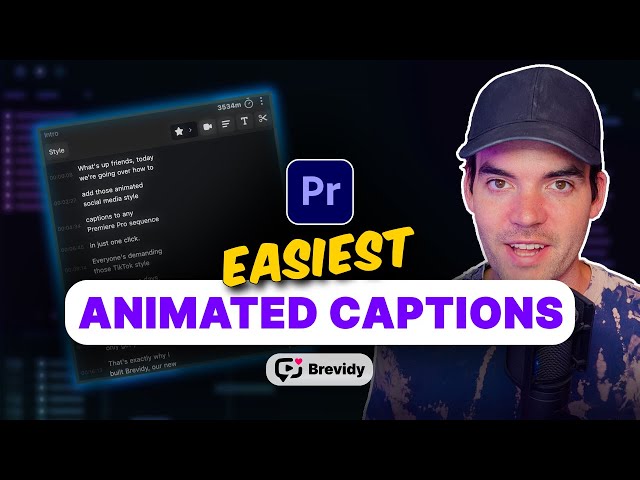
Brevidy key features
- **AI-Powered Captions**: Automatically transcribe sequences with 95% accuracy, offering customizable, animated captions and AI-suggested highlights.
- **Media Integration**: Search and import stock media directly into Premiere Pro, with AI features providing automatic media suggestions.
- **AutoCut Feature**: Instantly generate social media-ready clips from long-form content by identifying key moments and removing silence.
- **AutoCrop Functionality**: Reframe landscape videos to vertical formats using active speaker detection, allowing for quick adjustments.
- **Seamless Premiere Integration**: Designed as a toolkit for Adobe Premiere Pro, enhancing workflow with professional-grade features and no need to leave the application.
Brevidy use cases
- **AI-Powered Captioning**: Automatically transcribe sequences and generate customizable captions with high accuracy and word-by-word animations.
- **Clip Generation for Social Media**: Instantly create social media-ready clips from long-form content using AI to identify key moments.
- **Smart Vertical Reframing**: Transform landscape videos into vertical formats with active speaker detection for optimized viewing on social platforms.
- **Integrated Stock Media Access**: Search and import stock media directly into Premiere Pro, with AI suggestions for relevant content.
- **Multi-Language Support**: Translate captions into over 99 languages, enhancing accessibility for a global audience.
Useful for
- Automatically transcribe sequences and generate customizable captions with 95% accuracy.
- Instantly create social media-ready clips from long-form content using AI-powered AutoCut.
- Easily search and import stock media directly into Premiere Pro projects with integrated media tools.
- Reframe landscape videos into vertical formats using smart AutoCrop technology.
- Support for 99+ languages, enabling global accessibility and translation of content.
Price
- Free accounts receive one sample caption (up to 10 minutes) and a 7-day trial.
- The Captioner plan costs $14.99/month when billed yearly ($17.99 monthly) and includes captioning minutes.
- The Producer plan offers unlimited captions and video workflow minutes for AutoCut and AutoCrop.
- Users can create captions with 95% accuracy and access advanced features like AutoCut and AutoCrop.
- Support for 99+ languages is included, allowing for global content accessibility.
Company
Resources
Last Reviews
Frequently asked questions
What is Brevidy useful for?
What are the main use cases for Brevidy?
What are Brevidy's key features?
How much does Brevidy cost?
Similar products
Oops! It looks like you need to sign up
Before leaving a review you need to create an account. Don't worry, it only takes a moment and gives you access to exclusive content and updates. Ready to get started?